Table of Contents
ToggleAI Workflow Automation Tools Are Transforming How Work Gets Done
AI workflow automation tools help businesses, marketers, and creators save time by handling repetitive tasks, so they can focus on more important work.
If you feel overwhelmed by daily tasks like emails, content creation, or managing data, you are not alone, because many people struggle to keep up with this constant workload.
Doing everything manually takes time and often slows down your progress, especially when tasks start to pile up.
With the right AI tools, you can automate your work, reduce mistakes, and grow faster without needing to hire more people.
Now, let’s look at how these tools work and which ones you can start using today.
To understand how automation is changing modern businesses, this guide from HubSpot explains how it improves efficiency and results:
(This helps you understand how automation works in real business workflows)
Why AI Workflow Automation Tools Matter

Before you choose any tool, it’s important to understand how it can help you.
AI workflow automation tools can make your work easier and faster. They take care of tasks you do again and again, so you don’t have to.
With the right tools, you can:
- Handle repeat tasks without extra effort
- Make fewer mistakes in your work
- Save hours every week
- Get more done in less time
- Grow your business faster
11 AI Workflow Automation Tools You Can Use Today
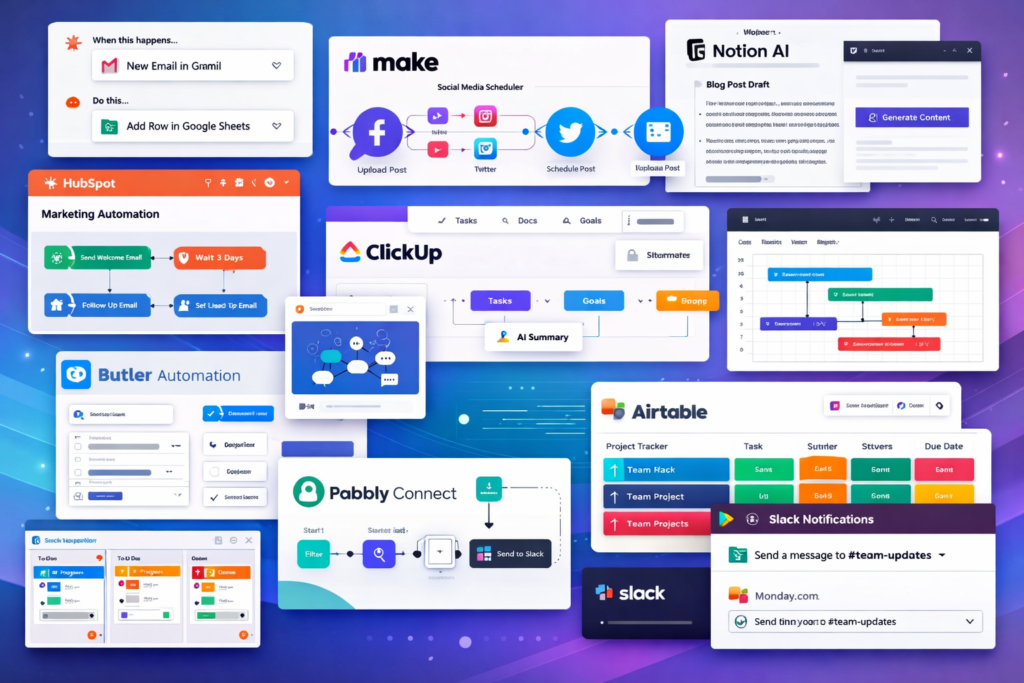
1. Zapier
Zapier helps you connect your apps and automate your work. You don’t need to code.
With Zapier, you can:
- Connect over 5,000 apps
- Automate repeat tasks
- Save time every day
2. Make (Integromat)
Make lets you build smart workflows with a simple visual setup.
With Make, you can:
- Use a visual builder
- Connect many tools
- Create flexible workflows
3. Notion AI
Notion AI helps you manage content and tasks in one place. It also helps you write faster.
With Notion AI, you can:
- Write content with AI
- Organize your work
- Work with your team
4. ClickUp AI
ClickUp combines task management with AI tools to make your work easier.
With ClickUp, you can:
- Automate tasks
- Get quick summaries
- Track your workflow
5. Trello + Butler Automation
Trello uses Butler to automate simple tasks and keep your projects organized.
With Trello, you can:
- Automate routine tasks
- Manage projects visually
- Set up workflows with ease
6. HubSpot Automation
HubSpot helps you automate your marketing and sales work in one place.
With HubSpot, you can:
- Send emails automatically
- Manage leads easily
- Use built-in CRM tools
To explore how CRM automation works, check this detailed guide:
To learn how automation works in real companies, this Salesforce guide explains it clearly
(This helps you understand how automation works in real business workflows)
7. Pabbly Connect
Pabbly is a budget-friendly tool for automation. It works well for small businesses.
With Pabbly, you can:
- Pay once (no monthly fee)
- Connect many apps
- Automate your workflows
8. Airtable AI
Airtable combines a database with smart automation features.
With Airtable, you can:
- Automate data tasks
- Work with your team easily
- Create custom workflows
9. Slack Automation
Slack helps you manage team communication and automate updates.
With Slack, you can:
- Send automatic alerts
- Manage team workflows
- Connect with other tools
10. ChatGPT (AI Workflows)
ChatGPT helps you write, plan, and generate ideas faster using AI.
With ChatGPT, you can:
- Create content quickly
- Brainstorm ideas
- Automate writing tasks
To see how AI tools fit into a bigger system, this guide explains everything:
AI marketing tools and how they improve workflows
(This helps you understand how automation works in real business workflows)
11. Monday.com AI
Monday.com helps you manage projects and automate tasks in one place.
With Monday.com, you can:
- Automate workflows
- Track tasks easily
- Work better with your team
🔥 Best AI Workflow Automation Tool for Beginners
If you’re new to automation, Zapier is one of the easiest tools to start with.
It helps you:
- Connect apps automatically
- Save hours of manual work
- Build workflows without coding
(This is perfect if you want simple automation without technical skills)
(This helps you understand how automation works in real business workflows)
How AI Workflow Automation Tools Help You Make Money

AI workflow automation tools do more than save time. They can also help you earn more money.
When you use the right tools, you can grow your work faster without doing everything yourself.
With these tools, you can:
- Automate client work and save hours
- Run content systems with less effort
- Grow your services more easily
- Build income that runs in the background
If you create content regularly, this guide on free AI tools for content creation shows how to produce content faster using simple tools:
(This helps you understand how automation works in real business workflows)
Best Strategy to Use AI Workflow Automation Tools
Step 1: Find Repeat Tasks
Start by looking at the tasks you do again and again each day. These are the best tasks to automate.
Focus on:
- Emails
- Content creation
- Scheduling
Step 2: Pick One Tool
Don’t try to use too many tools at once. Start with one simple tool like Zapier or Notion AI.
This makes it easier to learn and get results faster.
For a deeper understanding of workflow automation systems, this guide explains how it works step by step:
what is workflow automation and how it works step by step
(This helps you understand how automation works in real business workflows)
Step 3: Build Your Workflow
Now, set up your system step by step. Let the tool handle each task for you.
Start small, then improve it over time.
Step 4: Grow Your System
Once your setup works well, you can expand it. Add more tools and automate more tasks as you grow.
If you’re new to automation, this beginner-friendly guide on the best AI tools for beginners helps you choose the right tools without confusion
(This helps you understand how automation works in real business workflows)
AI Workflow Automation Tools for Content Creators
Content creators can save time by using automation tools. These tools help you create and share content faster.
With automation, you can:
- Write blog posts more easily
- Create videos with less effort
- Schedule and post on social media
If you create content regularly, this guide shows tools that speed up content creation:
free AI tools for faster content creation
(This helps you understand how automation works in real business workflows)
AI Workflow Automation Tools for Video Creation
Video is a major part of content today.
If you want to automate video creation, this guide on free AI video tools explains how to create videos quickly without editing skills
(This helps you understand how automation works in real business workflows)
AI Workflow Automation Tools vs Manual Work
Manual Work
Manual work takes a lot of time and effort. You often repeat the same tasks again and again, which can lead to mistakes.
- Takes more time
- Repeats the same tasks
- Can lead to errors
AI Automation
AI automation makes your work faster and easier. It handles tasks for you and helps you get better results with less effort.
- Works faster
- Grows with your needs
- Helps reduce mistakes
Tips to Get Better Results
To get the best results, keep things simple at the start.
- Start small
- Focus on one workflow at a time
- Test your setup and improve it
- Avoid trying to automate everything at once
Common Mistakes to Avoid
Many beginners make simple mistakes that slow them down. Try to avoid these:
- Automating everything too quickly
- Using too many tools at the same time
- Not testing your workflows
- Ignoring the results
💡 My Experience Using AI Workflow Automation Tools
After testing multiple automation tools, I noticed that most beginners struggle because they try to automate everything at once.
The best results come from starting small.
Tools like Zapier and Notion AI helped me automate simple tasks first, which saved hours every week.
Once the basics were set, scaling became much easier.
📌 AI Workflow Automation Tools for Faster Growth
AI Workflow Automation Tools can help you create content and automate tasks faster for Pinterest and social media.
You can use these tools to:
- Automate content workflows
- Schedule posts easily
- Save hours of manual work
Focus on:
- Short videos (30–60 seconds)
- Bold text overlays
- Clear messaging
(This helps increase clicks and traffic from Pinterest)
Conclusion
AI workflow automation tools are changing how we work every day.
They help you save time, reduce effort, and grow faster.
Start with one tool, build your system step by step, and expand as you go.
🚀 Start Using AI Workflow Automation Tools Today
AI Workflow Automation Tools can completely change how you work.
Start with one tool, automate one task, and build your system step by step.
The sooner you start, the faster you save time and grow.
Frequently Asked Questions
1. What are AI Workflow Automation Tools?
They are tools that use AI to handle tasks and processes for you.
2. Are these tools good for beginners?
Yes. Many tools are easy to use and do not need coding skills.
3. Can these tools save time?
Yes. They handle repeat tasks and save many hours of work.
4. Do I need coding skills?
No. Most tools are no-code or low-code.
5. Which tool should I start with?
Zapier and Notion AI are great options for beginners.



Be the first to comment